

Gaming laptops are no longer niche machines for a small group of hardcore players. In 2026, they’re used by students, creators, streamers, remote workers, and casual gamers who want strong performance without being tied to a desktop.
But choosing the right gaming laptop is still confusing. Specs look impressive on paper, prices vary wildly, and many buyers end up overpaying—or worse, buying the wrong configuration.
This guide breaks gaming laptops down in plain English, focusing on what actually matters today.
Table of Contents
What Is a Gaming Laptop?
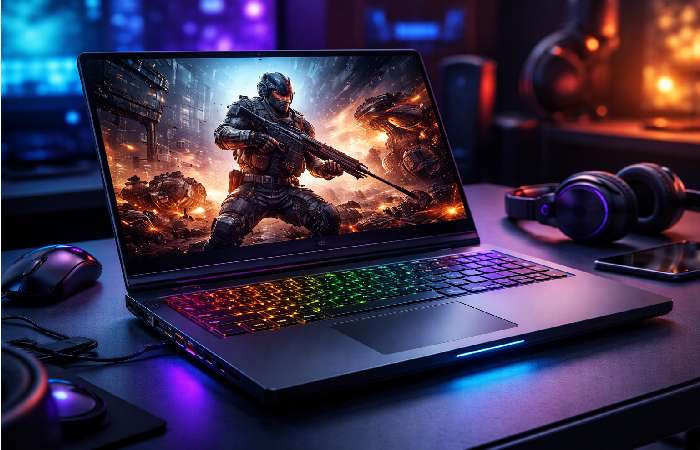
A gaming laptop is a portable computer built to handle graphically demanding games by using:
-
A dedicated graphics card (GPU)
-
A high-performance processor (CPU)
-
Advanced cooling systems
-
High-refresh-rate displays
Unlike regular laptops, gaming laptops prioritize sustained performance over thinness or silent operation.
Simple definition: A gaming laptop is designed to run modern games smoothly for long sessions without throttling or crashing.
Why People Search for Gaming Laptops
Most users aren’t just “shopping.” They’re trying to solve a problem:
-
Their current laptop can’t run newer games
-
They want desktop-level performance with portability
-
They need one machine for gaming, study, and work
-
They’re overwhelmed by specs and marketing claims
The real intent is informational + commercial: learn what matters, then make a confident buying decision.
Who Gaming Laptops Are Forgami
Gaming laptops make sense if you:
-
Move frequently (students, travelers, shared living spaces)
-
Want one device for gaming + productivity
-
Don’t want to manage external monitors, keyboards, or towers
-
Play modern AAA games or competitive esports titles
They’re especially popular among:
-
College students
-
Apartment dwellers
-
Casual to mid-core gamers
-
Content creators who also game
Who Should Avoid or Be Cautious
Gaming laptops may not be ideal if you:
-
Want the highest performance per dollar (desktops win here)
-
Rarely move your setup
-
Are sensitive to fan noise and heat
-
Expect all-day battery life
If portability isn’t important, a desktop PC will usually offer better long-term value.
Key Components That Actually Matter
1. Graphics Card (GPU) — The Most Important Part
The GPU determines gaming performance more than any other component.
In 2026, modern gaming laptops typically use NVIDIA RTX or AMD Radeon GPUs. Performance depends not just on the model name, but also on power limits and cooling.
Rule of thumb:
Choose the strongest GPU your budget allows before upgrading other specs.
2. Processor (CPU)
For gaming:
-
Mid-range CPUs are often enough
-
High-end CPUs help with streaming, editing, and multitasking
More cores don’t always mean better gaming performance. Balanced thermals matter more.
3. Display Quality and Refresh Rate
Key display features to look for:
-
144Hz or higher refresh rate
-
Full HD or QHD resolution (4K is usually unnecessary)
-
Good brightness and color accuracy
A great GPU is wasted on a poor display.
4. Cooling and Thermal Design
This is where many buyers get burned.
Two laptops with the same GPU can perform very differently due to:
-
Fan design
-
Heat pipes and vapor chambers
-
Power tuning by the manufacturer
Thin laptops often run hotter and throttle sooner.
5. RAM and Storage
-
RAM: 16GB is the practical minimum in 2026
-
Storage: NVMe SSDs are standard; aim for at least 1TB if possible
These are often upgradeable—but not always. Check before buying.
Common Mistakes Buyers Make
-
Buying based on GPU name alone
-
Ignoring thermal reviews
-
Overpaying for ultra-thin designs
-
Choosing 4K screens that hurt performance and battery life
-
Assuming all gaming laptops age the same
Gaming laptops are systems, not spec sheets.
Myths vs Facts
1: Gaming laptops can’t last more than 2–3 years
Fact: Well-cooled models can remain usable for 5+ years
2: You need the top-tier GPU to enjoy gaming
Fact: Most games run well on mid-range GPUs with optimized settings
3: Gaming laptops are bad for productivity
Fact: Many outperform traditional “work” laptops in heavy tasks
Step-by-Step: How to Choose the Right Gaming Laptop
-
List the games you actually play
-
Set a realistic budget range
-
Choose GPU first
-
Check cooling reviews
-
Match the display to the GPU
-
Confirm upgrade options
-
Compare real-world benchmarks—not marketing claims
This process avoids 90% of bad purchases.
Performance vs Price (General Pattern)
| Budget Range | Expected Gaming Experience |
|---|---|
| Entry-level | Esports & older AAA titles |
| Mid-range | Modern AAA at high settings |
| High-end | Ultra settings, ray tracing |
| Premium | Diminishing returns |
Spending more doesn’t always mean better value.
Battery Life Reality Check
Gaming laptops are not built for long unplugged gaming sessions.
Typical expectations:
-
5–8 hours for light tasks
-
1–2 hours while gaming
This is normal—not a flaw.
Longevity and Future-Proofing
To extend lifespan:
-
Prioritize cooling quality
-
Avoid ultra-thin chassis
-
Keep drivers updated
-
Clean fans annually
Thermals matter more than chasing specs.
FAQ: Gaming Laptops
Are gaming laptops good for everyday use?
Yes. They handle browsing, work, and media easily—often faster than standard laptops.
Do gaming laptops overheat easily?
Only poorly designed ones. Good cooling makes a major difference.
Can you upgrade gaming laptops later?
RAM and storage are often upgradeable; CPUs and GPUs usually are not.
Is a gaming laptop better than a console?
It depends. Gaming laptops offer flexibility; consoles offer simplicity and lower cost.
How long does a gaming laptop last?
With good cooling and care, 4–6 years is realistic.